

Translate documents to Kazakh
Upload a contract, invoice or report as DOCX, PDF or TXT. SenTra translates it from Russian or English to Kazakh (or back) and returns a file with the same tables, headings and numbering.
Drop a file here or
PDF, DOCX or TXT, up to 10 MB
Text is translated by a cloud AI model through ALDIS servers. Files are deleted after 24 hours and are not used to train models. For confidential documents, use the on-premise edition. Privacy Policy
Which files you can translate
- DOCX: the translation comes back in the original layout (SameFormat).
- PDF with a text layer: the translation comes back as an editable DOCX. Scans are not supported yet.
- TXT: the translation comes back as a text file.
- Up to 10 MB and 50 pages, one document at a time. The download link is valid for 24 hours.
Translate a contract to Kazakh
In Kazakhstan, supply, lease and employment contracts are often signed in two languages. Upload the contract as DOCX: clauses, numbering and the table of company details stay in place, and legal terms are translated the same way throughout the document.
Kazakh document translation: how it works
Open the Document tab, choose the direction, upload the file and click Translate. When the translation is ready, download the file. The source and translated files are deleted after 24 hours.
See the result
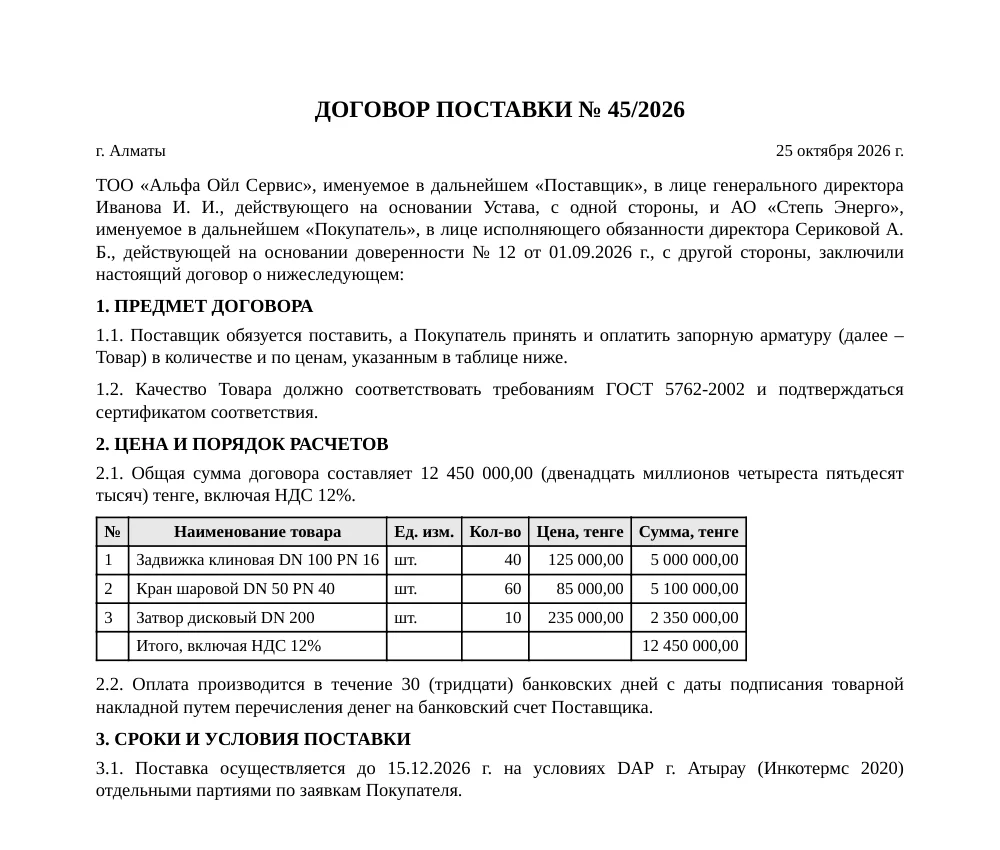
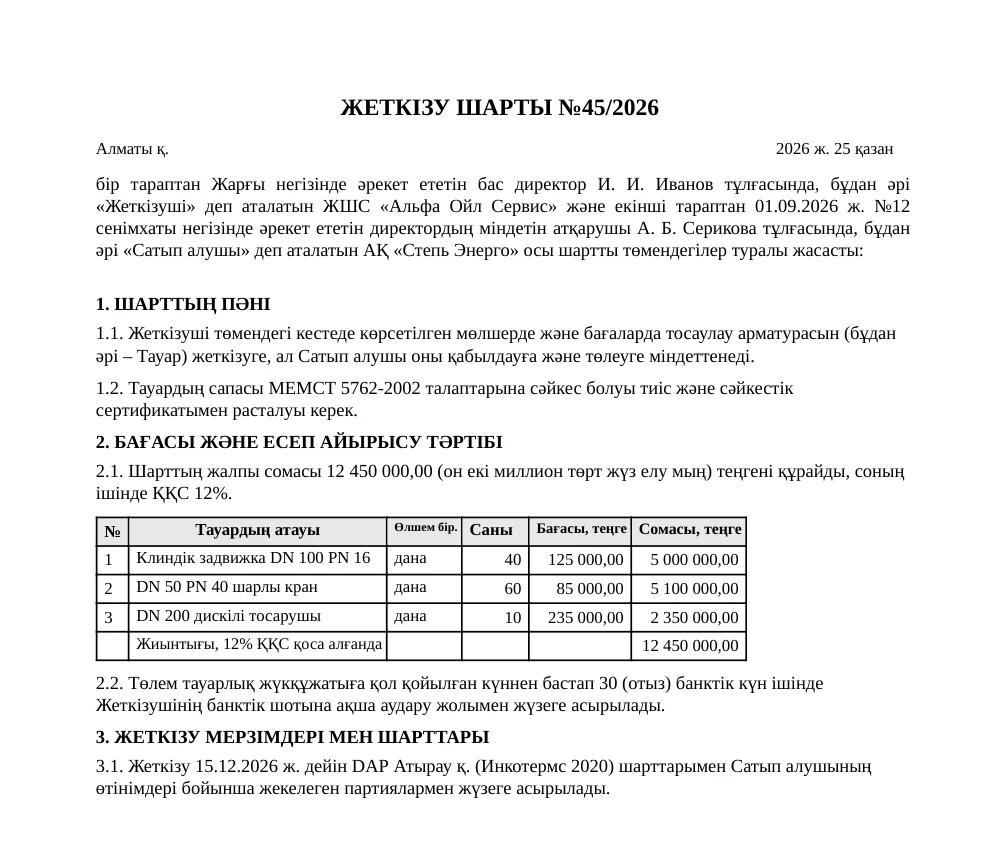
Synthetic sample document.
Frequently asked questions
How do I translate a contract to Kazakh?
Save the contract as DOCX, open the Document tab, choose Русский → Қазақша or English → Қазақша and upload the file. Wait from a few seconds to a few minutes, depending on its length, then download the translated DOCX.
Will the formatting be kept?
For DOCX, yes: tables, headings and numbering stay in place. PDF comes back as DOCX, so the page may look slightly different from the original.
Can I translate a scan or a photo of a document?
Not yet. You need a PDF with selectable text, a DOCX or a TXT file.
Is this a certified translation?
No. SenTra does machine translation. For notarised or certified translations, have the result checked by a professional linguist.
Is it safe to upload documents?
ALDIS servers receive the files and a cloud AI model translates the text. Files are deleted after 24 hours and are not used to train models. For documents that must not leave your company, use the on-premise edition of SenTra.
Other directions
-
Russian ↔ Kazakh
Russian to Kazakh and Kazakh to Russian translation for text, contracts and letters.
-
English ↔ Kazakh
Kazakh to English and English to Kazakh translation for business letters and documents.
-
Online translator
Translate text or a document between Kazakh and Russian or between Kazakh and English.